5 Ways to Sync Your Emails to Notion in 2026
Notion has become a unified hub for collaboration for companies of all sizes. Teams use it for everything from project management to sales pipelines and internal documentation. However, integrating email into Notion has historically been a struggle. This disconnection limits efficiency and forces users to constantly switch between their inbox and their workspace.
Over the past few years, a growing ecosystem of tools has emerged to bridge that gap. Some turn emails into tickets. Others log them as database rows. Some group emails by contact. Others let you build everything yourself with automation tools.
This post walks through the main approaches to syncing emails into Notion, what each one is best at, and the tradeoffs to be aware of—so you can choose the option that fits your best.
| Feature | Emon | Slap | NotionSender | TaskRobin | Zapier/Make |
|---|---|---|---|---|---|
| Primary function | Contact-based CRM; sync emails sorted by contact | Thread-based team collaboration | Forward-to-save & send | Forward-to-save & archive | Custom automation |
| Best for | Outlook users building a CRM | Gmail teams running support/sales | Archiving specific emails | High-volume email logging | Tech users with custom needs |
| Email provider | Outlook first-class (any provider with auto-forward to Outlook) | Gmail (Outlook coming) | All providers | All providers | All providers |
| Sync speed | Instant | Instant | When forwarded | When forwarded | ~15 min polling |
| Sync old Emails | Yes (1mo, 6mo, 1yr) | No | Manually | Manually | No |
| How Emails Appear | Emails grouped by contact | Emails grouped by thread | One page per email | One page per email | One page per email |
| Reply from Notion? | No | Yes | Yes (paid) | No | Complex setup |
| Starting price | Free tier | $10/user/mo | Free tier | $2.49/mo | Free tier |
Emon
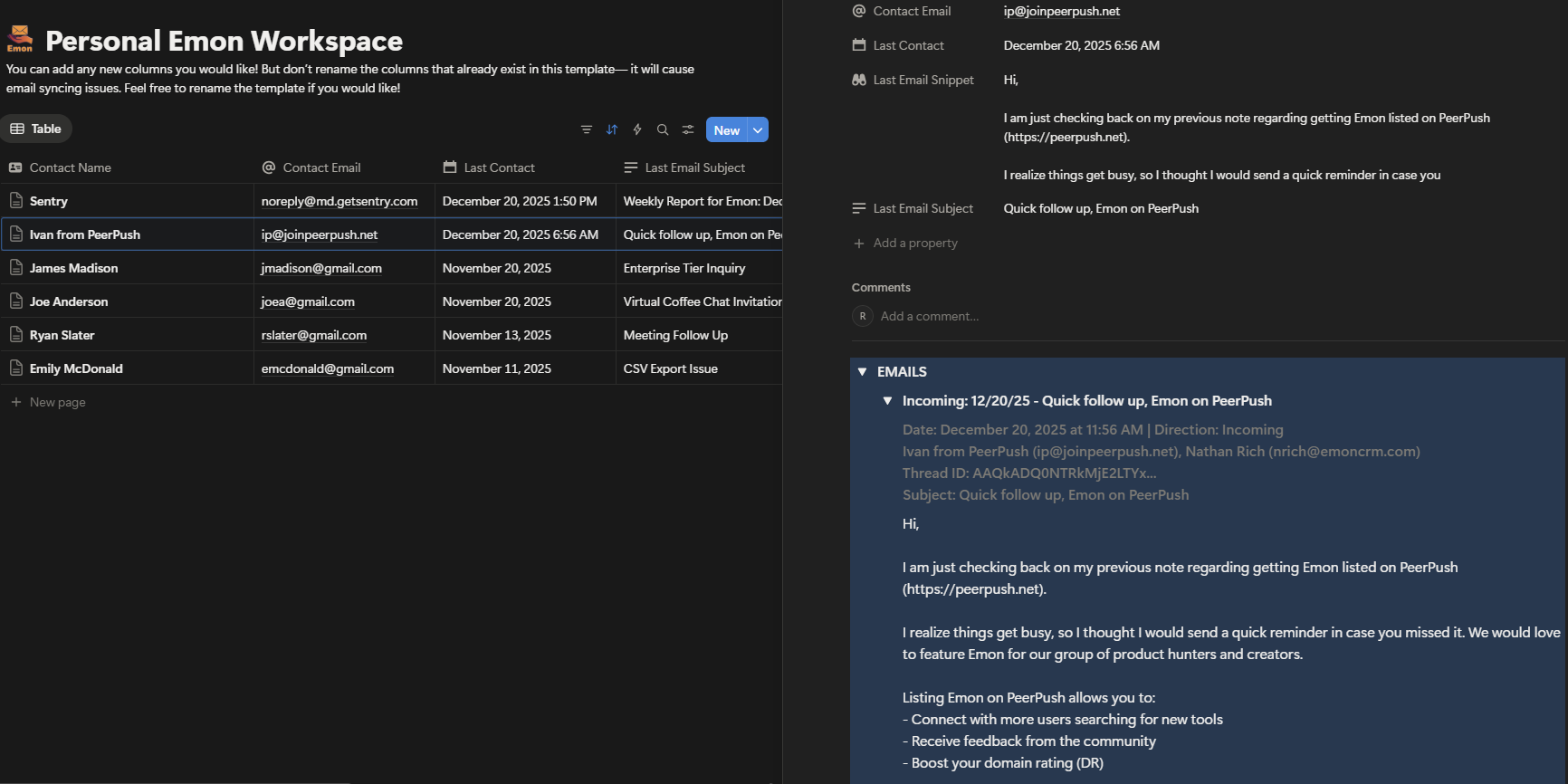
How does it work? Emon creates a real-time sync between your Outlook/Microsoft 365 mailbox and Notion. Unlike other tools that create a new page for each email, Emon organizes emails around contacts—the way a CRM works. When an email arrives, Emon extracts all participants, and adds the email to each contact in Notion. If the contact doesn’t exist in Notion, it is automatically created. Open any contact in Notion and see their complete email history organized under one collapsible, “Emails” toggle.
Key features: Contact-centric organization, instant sync (no polling delays), historical sync (up to 1 year) for old emails, automatic contact matching and creation, and a structure designed for relationship management rather than just email archiving.
Security: Emon uses AES-256-GCM encryption at rest, TLS 1.2 in transit, and Microsoft OAuth authentication for secure login.
Sync speed: Real-time. Emails appear in Notion instantly (within 15 seconds of receipt)
Price: Free tier includes 100 emails/month + 1 month historical sync. Starter is $9/month (1,000 emails + 6 month historical sync), Pro is $19/month (5,000 emails + 1yr historical sync).
Compatibility: Outlook and Microsoft first-class. Other providers are compatible if you set up auto-forwarding to a free Outlook account.
Best for: Emon is ideal for Outlook users who want a true CRM experience in Notion. The contact-centric model makes it easy to track relationships over time—you're not hunting through hundreds of individual email pages to find a conversation. If you're in sales, account management, or any role where relationships matter, this structure pays off quickly.
Slap
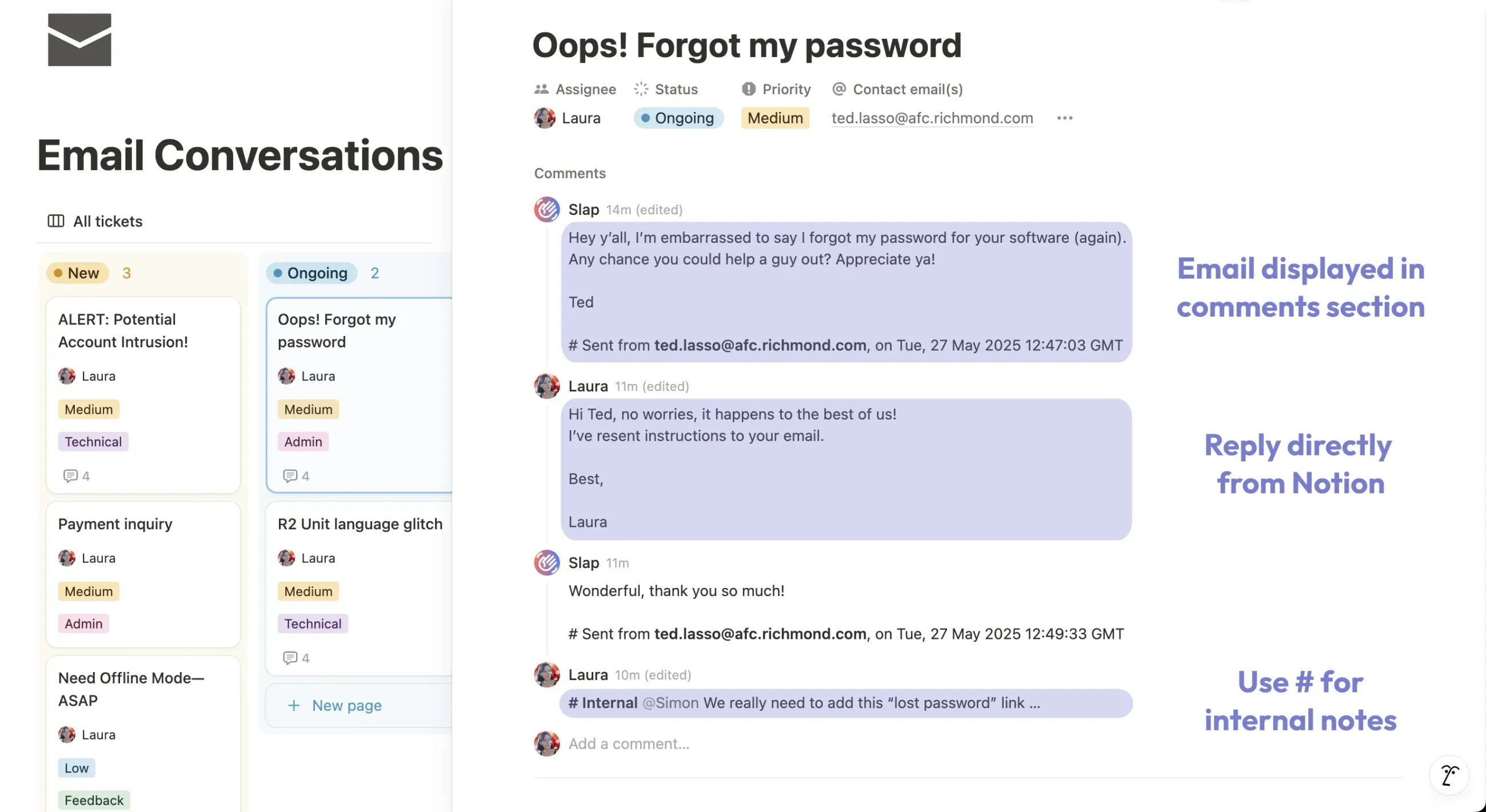
How does it work? Slap creates a direct, two-way sync between Gmail and Notion. Entire email threads are stored as single Notion pages, with conversations appearing in the comments section. You can reply to emails directly from Notion, and responses are sent from your actual Gmail address.
Key features: Two-way sync, reply from Notion, automatic routing via Gmail labels, team collaboration features, and a "Last Email Date" property for tracking follow-ups.
Security: Slap is CASA Tier 2 certified by Google, ensuring compliance with Google's strict security standards for cloud applications.
Sync speed: Instant (Real-time).
Price: $10/user/month (only users who reply need paid seats). Includes unlimited emails and databases. 7-day free trial.
Compatibility: Gmail (Outlook coming soon).
Best for: Slap is built for teams running support, or sales pipelines in Notion who need true two-way email communication. The thread-based organization keeps conversations tidy, and the ability to reply from Notion makes it feel native.
NotionSender
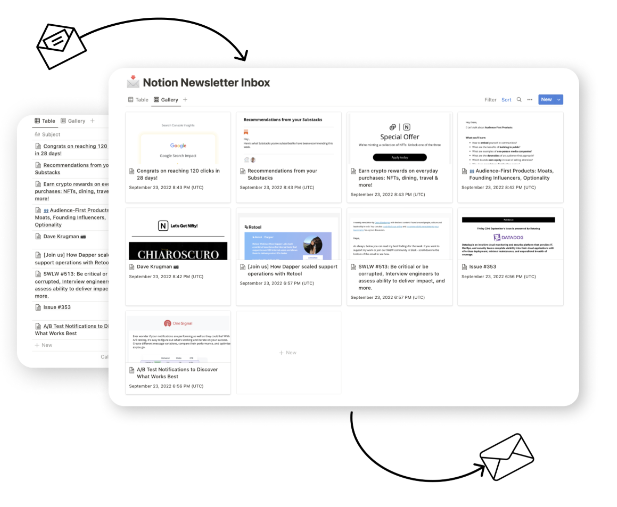
How does it work? NotionSender gives each Notion database a unique email address. Forward emails to that address (or set up email rules), and they appear as new pages in your database. You can also compose and send emails from Notion.
Key features: AI-powered property extraction, attachment storage, and the ability to send emails from Notion (custom address on paid plan).
Security: NotionSender leverages Notion's own security infrastructure (AES-256 at rest, TLS 1.2 in transit) and uses secure connections for transferring data to your workspace.
Sync speed: When email is forwarded/received.
Price: Free tier includes 100 saved and 50 sent emails/month. Premium is $19/month (10,000 saved, 5,000 sent).
Compatibility: Works with all email providers.
Best for: NotionSender is great for individuals archiving specific emails like invoices, newsletters, or confirmations. The free tier is generous for light use. However, each email creates a separate page, so it's less practical for managing ongoing conversations—more of a "static storage" solution.
TaskRobin
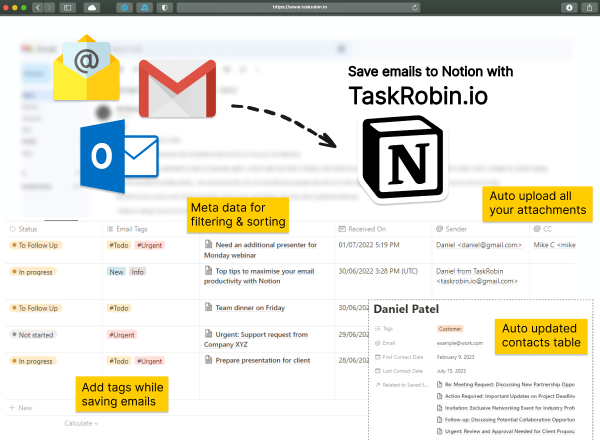
How does it work? Similar to NotionSender—forward emails to a dedicated address, and they land in your Notion database. TaskRobin can group conversation replies onto the same page, but doesn't support sending emails from Notion.
Key features: AI summaries, hashtag-based tagging, attachment storage, and Airtable support.
Security: TaskRobin uses AES-256 encryption for both data in transit and data at rest to protect your emails.
Sync speed: When email is forwarded/received.
Price: Tiered pricing from $2.49/month (100 emails) to $59.99/month (5,000 emails, 10 users). 7-day free trial.
Compatibility: Works with all email providers.
Best for: TaskRobin works well if you need to log high volumes of incoming emails and don't need to reply from Notion. Pricing may be more cost-effective than NotionSender depending on your volume.
No-Code Automation (Zapier, Make, n8n)
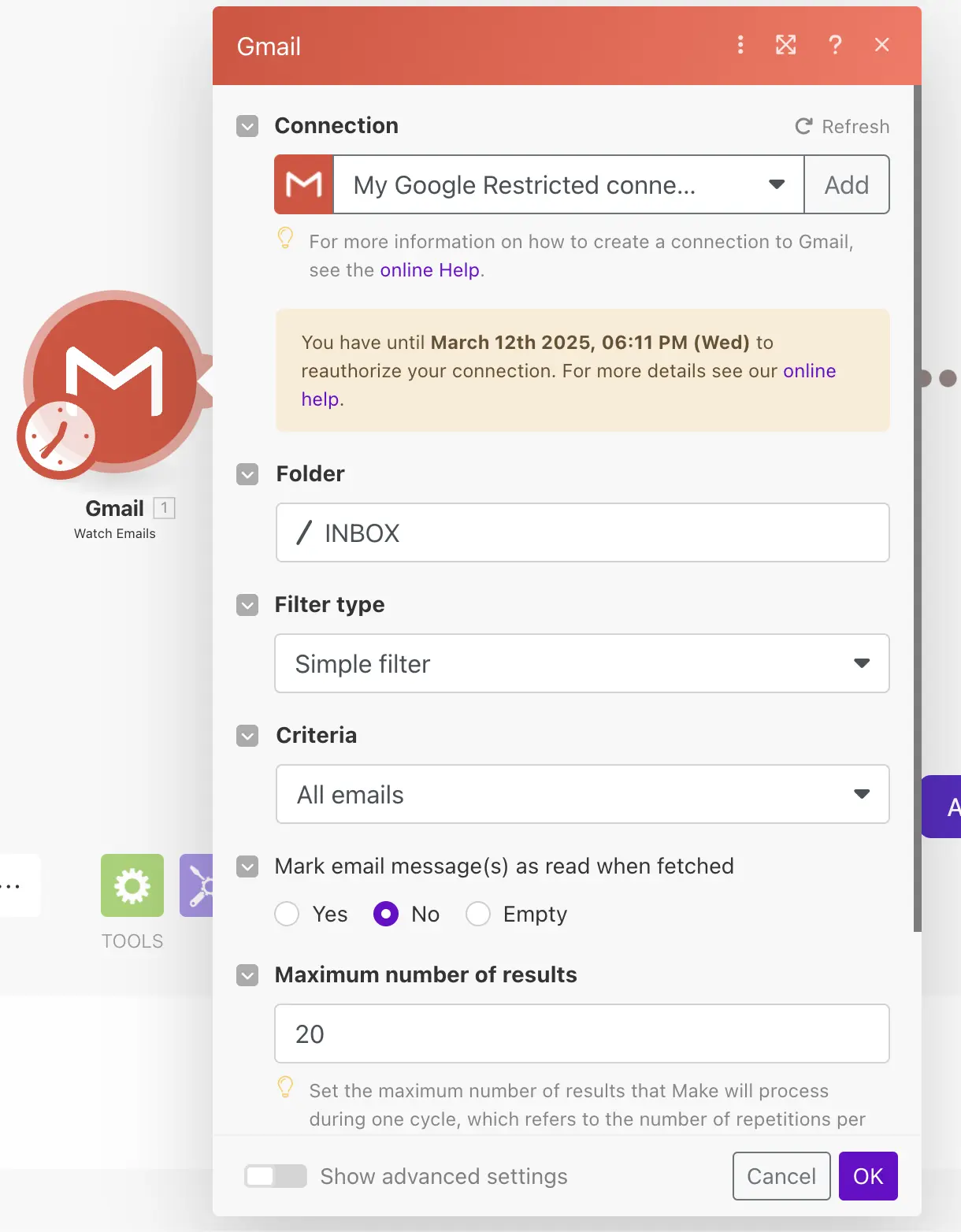
How does it work? Build your own email-to-Notion integration using platforms like Zapier, Make, or n8n. This offers maximum flexibility but requires setup time and ongoing maintenance.
Key features: Endless customization—add AI summaries, conditional routing, multi-step workflows, or connect to other apps in the same automation.
Security: Both Zapier and Make are SOC 2 Type II compliant and use standard encryption (TLS 1.2+ for transit, AES-256 for storage) to secure your data.
Sync speed: Polling (usually 5-15 minutes depending on plan).
Price: Zapier starts free (100 tasks/month) with paid plans from $19.99/month. Make starts free (1,000 operations/month) with paid plans from $9/month.
Compatibility: Works with virtually all email providers and apps.
Important caveat: These platforms use polling-based sync, meaning they check for new emails every 2-15 minutes depending on your plan. This delay can matter for time-sensitive workflows. They also create one page per email—no contact-centric organization.
Best for: No-code automation is for tech-savvy users with highly specific workflows that off-the-shelf products can't handle. If email-to-Notion is just one piece of a larger automation, this route makes sense.
What About Notion Mail?
Worth mentioning: Notion Mail launched in early 2025, but it's not a database integration. It's a separate Gmail client with Notion's UI and AI features. You can't sync emails into your Notion databases, connect messages to pages, or use it for CRM purposes. If you want emails inside your workspace as organized, queryable data, Notion Mail isn't the solution.
Which Tool Is Right for You?
Outlook user who wants a true CRM-style organization? → Emon is built specifically for this. Contact-centric structure, instant sync, and the only dedicated Outlook integration in this category.
Gmail team running support or sales in Notion? → Slap offers two-way sync with native reply functionality.
Individual archiving receipts, newsletters, or invoices? → NotionSender or TaskRobin both work well. Compare pricing based on your volume.
Tech user with complex, custom workflow needs? → Zapier or Make give you full control, but expect polling delays and more setup time.
The right choice depends on your email provider, how you want emails organized, and whether you need real-time sync. For Outlook users tired of scattered emails, a contact-centric approach finally brings proper CRM functionality to Notion.
Last updated: December 2025
Share this article